本文最后更新于291 天前,其中的信息可能已经过时,如有错误请发送邮件到1910452164@qq.com
在导言区插入代码
\usepackage{graphicx}
\usepackage{float}
\usepackage{subfigure}
在文中对应位置进行编辑
\begin{figure}[h]
    \centering
    \subfigure[forecasts of rabbit]{
    \label{fig2.1}
    \includegraphics[width=0.5\linewidth]{figures/rabbit_forecasts.png}
    }\subfigure[forecasts of wolf]{
    \label{fig2.2}
    \includegraphics[width=0.5\linewidth]{figures/wolf_forecasts.png}
    }
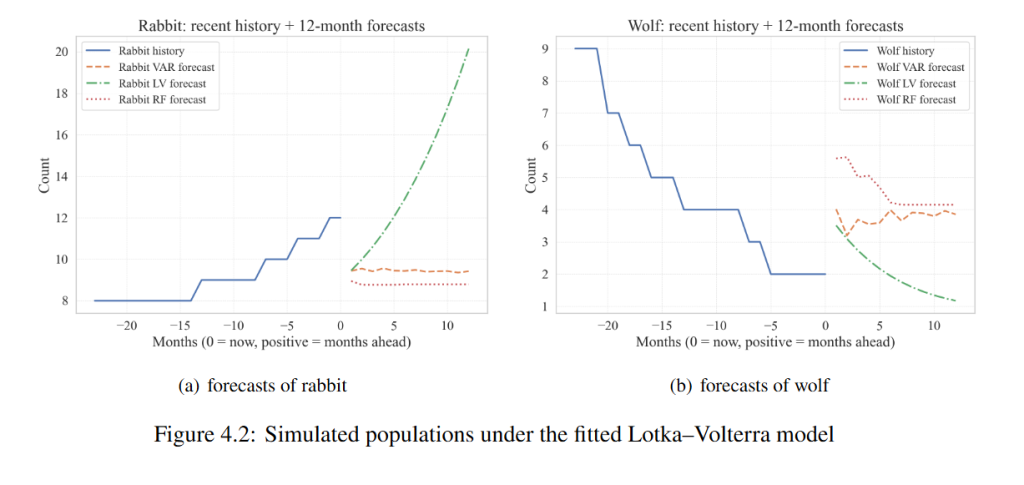
    \caption{Simulated populations under the fitted Lotka–Volterra model}
    \label{fig2}
\end{figure}- 第一行的[h]是”here”的缩写,意即保持图片和代码在文中的相对位置相同。
- “subfigure”后的中括号中填写的是子图片的标题
- 第4、7行的”label”后的大括号中填写的是子图片的别名,后续服务于引用
- “includegraphics”后的中括号中填写的是图片的宽度,上面代码中设置为0.5倍的行宽
- “includegraphics”后的大括号中填写的是图片实质存放的相对位置
- “caption”后的大括号中填写的是总图片的标题
- 倒数第二行的”label”后的大括号中填写的是总图片的别名
注意:第二个”subfigure”与第一个间不能存在换行,否则渲染出来的图片无法实现并排效果。
下图为代码对应的渲染效果:
我在想人类会变老
世界也会变老
如果可以的话
我希望世界永远年轻